- Home Page /
- Software /
- Utilities /
- Memory Management /
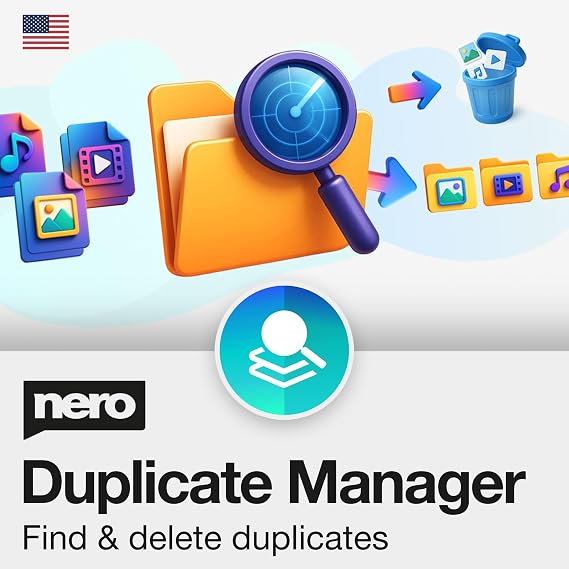
- Nero Duplicate Manager | Detect & Remove Duplicate Phot...
0 ratings


Item #:
151240876
Nero Duplicate Manager | Detect & Remove Duplicate Photos, Videos & Music Files | Organize Your Media Library | Supports HEIC/HEIF, RAW, JPG, PNG |
61% of respondents would recommend this to a friend
Item #:
151240876
XCD 148
Price Details
Excluding Shipping & Custom charges ( Shipping and custom charges will be calculated on checkout )
*All items will import from US
0 ratings
Write a review
In stock
 Imported from USA store
QTY:
Order now and get it around Tuesday, September 08
Secured transaction
Ubuy works hard to protect your security and privacy. Our advanced payment security system ensures confidentiality by encrypting your information during transmission using AES (Advanced Encryption Standards) and SSL (Secure Socket Layer) protocols. Your payment details are 100% secure as we do not share your payment details with third party sellers.
Our Top Logistics Partners


Put an end to unnecessary images and reclaim valuable storage space with Nero Duplicate Manager Photo!

Fast
Shipping

Free
Return*

Secure Packaging

100% Original Products

PCI DSS Compliance

ISO 27001 Certified



Note: Step Down Voltage Transformer required for using electronics products of US store (110-120). Recommended power converters Buy Now.


What Stands Out
Duplicate Detection
Efficiently identifies and highlights duplicate photos, simplifying the photo management process for users seeking to declutter and organize their image collections.
User-Friendly Interface
Offers an intuitive design that ensures users of all skill levels can easily navigate the software, enhancing photo management without steep learning curves.
Cross-Compatibility
Compatible with multiple Windows versions (11/10/8/7), allowing users to benefit from powerful duplicate management regardless of their system, ensuring widespread accessibility.
Product Details
| Product Dimensions | 4.88 x 3.5 x 0.08 inches (12.4 x 8.9 x 0.2 cm); 0.35 ounces (9.92 grams) |
| Date First Available | March 11, 2025 |
| Manufacturer | Nero Inc. |
Who Should Buy?

-
Photo Organizers
Ideal for users seeking to organize a large library of images by removing duplicates efficiently.
-
Professional Photographers
Helps photographers streamline their collections, ensuring only unique images are retained for client portfolios.
-
Casual Users
Suitable for everyday users wanting to declutter their photo storage without the hassle of manual sorting.

-
Mac Users
Only compatible with Windows systems, limiting functionality for users on macOS devices.
Product Description
Nero Duplicate Manager | Detect & Remove Duplicate Photos, Videos & Music Files | Organize Your Media Library | Supports HEIC/HEIF, RAW, JPG, PNG | Lifetime License | 1 PC | Windows 11 / 10 / 8 / 7
Have any Query? Chat with us
Customer Questions & Answers
-
Question:
What is Nero DuplicateManager Photo?
Answer: Nero DuplicateManager Photo is a software application designed to help users find and remove duplicate photos on their computers. With its intuitive interface, it allows you to effectively manage your image library by scanning for duplicate files. This is especially useful for photographers and anyone with a large collection of images, allowing for better organization and storage optimization. -
Question:
How does Nero DuplicateManager Photo identify duplicates?
Answer: Nero DuplicateManager Photo utilizes advanced algorithms to scan and identify duplicate images based on their content and file metadata. This includes examining the visual characteristics of photos, such as color and structure, as well as checking file names and sizes. This comprehensive approach ensures that no duplicates, whether they are exact copies or variations, are overlooked, making photo management more efficient. -
Question:
Can I use Nero DuplicateManager Photo on multiple operating systems?
Answer: Nero DuplicateManager Photo is compatible with Windows operating systems including Windows 11, 10, 8, and 7. This versatility allows users to maintain access to the software across various machines within these environments. Just make sure your PC meets the necessary system requirements for optimal performance when managing your photos. -
Question:
Is it easy to restore deleted photos using Nero DuplicateManager Photo?
Answer: Yes, Nero DuplicateManager Photo provides a user-friendly interface to help restore photos you may have inadvertently deleted during the duplicate removal process. The software typically includes a backup feature, allowing you to easily recover any files that were removed, ensuring peace of mind as you streamline your photo library. -
Question:
What features are included in Nero DuplicateManager Photo?
Answer: Nero DuplicateManager Photo offers a range of features, including the ability to scan entire directories for duplicates, support for various file formats, and options to preview files before deletion. Additionally, it provides organizational tools to categorize and manage your images effectively, enhancing your photo management experience overall. -
Question:
How does the user interface of Nero DuplicateManager Photo work?
Answer: The user interface of Nero DuplicateManager Photo is designed to be intuitive and straightforward. Upon launching the application, you can easily select the folders you wish to scan for duplicates. The results are displayed clearly, allowing you to make informed decisions on which files to keep and which to delete, resulting in efficient photo management. -
Question:
Can I schedule regular scans with Nero DuplicateManager Photo?
Answer: Nero DuplicateManager Photo does not currently offer a built-in scheduling feature for regular scans. However, users can manually initiate scans whenever they feel necessary, making it easy to keep the photo library organized regularly. Having this flexibility allows users to maintain control over their photo management process without feeling overwhelmed. -
Question:
What types of images can Nero DuplicateManager Photo scan?
Answer: Nero DuplicateManager Photo supports a variety of image file formats, including JPEG, PNG, BMP, and TIFF. This wide range ensures that whether you're dealing with photographs, illustrations, or other digital images, the software can effectively scan and manage them, making it suitable for diverse user needs. -
Question:
Is tech support available for Nero DuplicateManager Photo users?
Answer: Yes, users of Nero DuplicateManager Photo can access customer support through the official Nero website. This includes FAQs, user guides, and troubleshooting help to assist you with any issues you may encounter. Having access to tech support helps ensure that your experience with the software is smooth and efficient. -
Question:
Where can I buy Nero DuplicateManager Photo?
Answer: You can buy Nero DuplicateManager Photo from Ubuy in Grenada. Ubuy offers a streamlined purchasing process and access to this software, ensuring you can quickly secure a license for your PC and start managing your photos efficiently.
Nero Memory Management Editorial Review
The **Nero DuplicateManager Photo** has garnered mixed reviews from users, with many emphasizing its capability to efficiently identify and eliminate duplicate photos, while others have expressed frustration with its installation process and user interface. Customers appreciate the software's effectiveness in locating duplicates from extensive collections amassed over many years, often saving significant time and disk space. For instance, one user reported freeing up almost 10% of their disk space by recovering nearly two thousand duplicate photos. However, the user experience is marred by a convoluted installation process that requires users to navigate through the Nero website and create an account for activation. The user interface has also been criticized for being unintuitive and lacking essential features, such as saving previous search directories and having easily accessible settings during scans. Additional software installation that some users found unnecessary further complicates the experience. Despite these drawbacks, the software has been praised for its succinct organization of scanned results, expanding ease of use once installed. It intelligently groups images into categories and provides previews and metadata details, offering users transparency in their cleanup efforts. Overall, while the **Nero DuplicateManager Photo** presents an excellent tool for casual users looking to declutter their photo libraries, professionals might find its functionality limited and its pricing excessive. ###
Customer Reviews & Ratings
1 customers ratings
-
5 Star
100%
-
4 Star
0%
-
3 Star
0%
-
2 Star
0%
-
1 Star
0%
Review this product
Share your thoughts with other customers
Pros
- Effectively identifies and groups duplicate images, saving time and disk space.
- Offers detailed previews and metadata for informed deletion decisions.
- Smart categorization of duplicates into defined groups.
- Recovery of deleted files is possible until the recycle bin is emptied. ###
Cons
- Complicated installation process requiring account creation and additional software.
Platform Trust & Buyer Confidence

MA
Mohammad
Verified buyer
“Excellent quality and original too,when ubuy send original things I will appreciate that ,I very satisfied thank you”
23 July 2026 · via Trustpilot
CK
Chitra
Verified buyer
“The order and delivery progress was communicated very well. Package arrived within the estimated time. Products arrived as expected in good condition.”
22-Jul-26 · via Trustpilot
K
kund
Verified buyer
“Good supply of products. Safe payment methods, and shipment worldwide! Genuine products.”
23-Jul-26 · via Trustpilot
OO
Onesi
Verified buyer
“Was my first time buying a product from Ubuy, but I found it so helpful. This is reliable. Gonna place a new order!”
22 July 2026 · via Trustpilot
SJ
SAO JOHN
Verified buyer
“Ubuy is a great online platform to buy stuff. Reliable, fast delivery time and great value for money. I've been using Ubuy online shopping platform for three years now and will continue to do so.”
23 July 2026 · via Trustpilot
Secure Checkout
Global Delivery
Easy Returns
Genuine Products
Product Price History
Important information
- Limitations : For products shipped internationally, please note that any manufacturer warranty may not be valid; manufacturer service options may not be available; product manuals, instructions, and safety warnings may not be in destination country languages; the products (and accompanying materials) may not be designed in accordance with destination country standards, specifications, and labeling requirements; and the products may not conform to destination country voltage and other electrical standards (requiring use of an adapter or converter if appropriate). The recipient is responsible for assuring that the product can be lawfully imported to the destination country. When ordering from Ubuy or its affiliates, the recipient is the importer of record and must comply with all laws and regulations of the destination country.
- Not all the products listed on Ubuy are for sale, as Ubuy is a global search engine. Products are subject to export/trade regulations.
XCD 148
Order now and get it around Tuesday, September 08
This item is not restrict in my country.(Please click on above link if this item is not restrict in your country, So our team will review and allow.)
QTY:
Secured transaction
PCI DSS compliant and ISO 27001:2022 certified, with encrypted payments and full buyer protection on every order.
Our Top Logistics Partners
Fastest cross-border delivery
Features & Benefits
- Quickly find and remove duplicate photos to free up storage space.
- Advanced algorithms ensure accurate detection of duplicates.
- Organize photos by date, size, resolution, and more for easy access.
- Smart Duplicate Finder technology offers clear recommendations for deletion.
- Easy recovery options for deleted images within the software.
- Compatible with all major image formats and supports internal/external storage.
Ubuy Assurance
Experience worry-free shopping with 100% original products, PCI DSS-compliant payment security, ISO 27001-certified data protection, the fastest cross-border delivery, free returns *, and secure packaging on every order.